
Get your business found in ChatGPT
Open Business Hub with your own ChatGPT account, find your business, verify it by phone, email, website or Shopify, and finish the ID check once OpenAI approves your claim. Then add SmartLoads as an admin and we keep your profile up to date. Never send anyone your login.
ChatGPT lets a business claim a free profile. Once it's yours, you control the details ChatGPT shows when people ask about you: your description, category, logo and website. Only the owner, or someone the owner authorizes, can claim it. After that, you add SmartLoads as an admin and we keep it current.
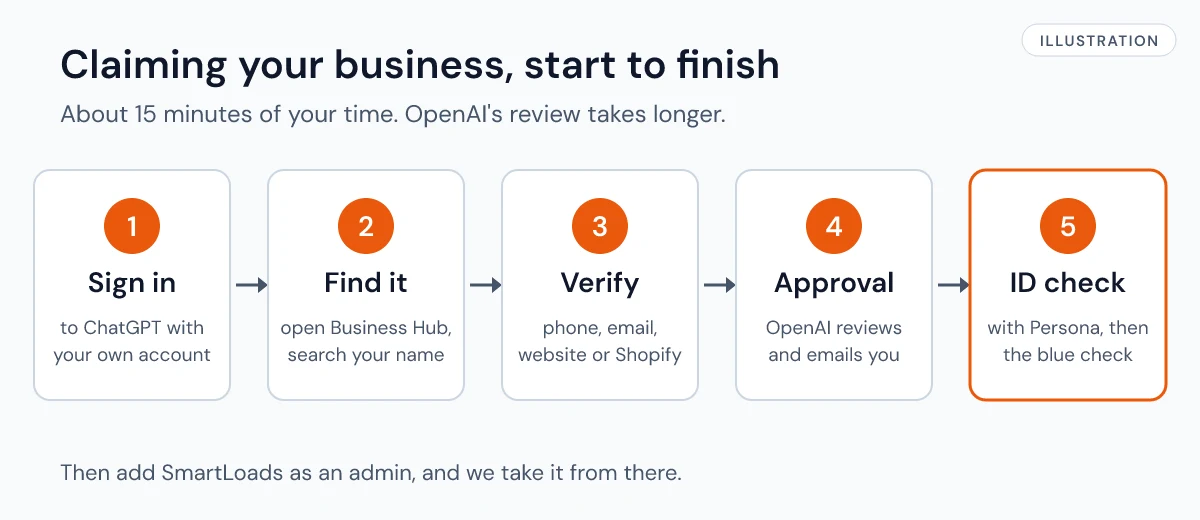
Before you start
Have these ready:
- Your own ChatGPT account. A free one works. Sign up here if you don't have one.
- A government ID for the identity check
- Access to one of these: the business phone, an email at your company's domain, your website's DNS settings, or your Shopify store
- Your legal business name and address exactly as they appear on your registration
Claim your profile
- Open Business Hub and sign in. You can also get there from the ChatGPT sidebar.
- Search for your business by name and select the listing that matches. If you run an online business and can't find it, you may see an option to add it.
- Pick a way to prove it's yours: a code sent to your business phone or email, a TXT record added to your website's DNS, or your Shopify store. If someone else manages your website, ask them to add the record.
- Wait for OpenAI's email. They review every claim and email you a decision or a question.
- Once approved, select Verify with Persona in your business overview and follow the steps. When Persona approves you, your profile gets the blue check.
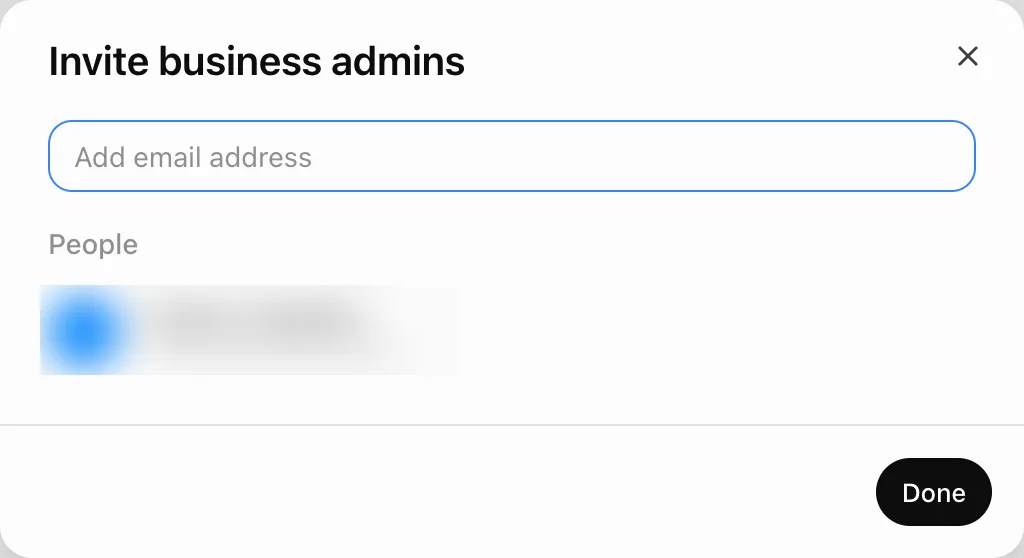
- Add us as an admin. On your business's page in Business Hub, click Invite at the top right.

- In Invite business admins, type hello@smartloads.io and click Done. Then let your SmartLoads contact know it's done.
OpenAI's own walkthrough has more detail: Setting up your business on ChatGPT.
What we handle after you add us
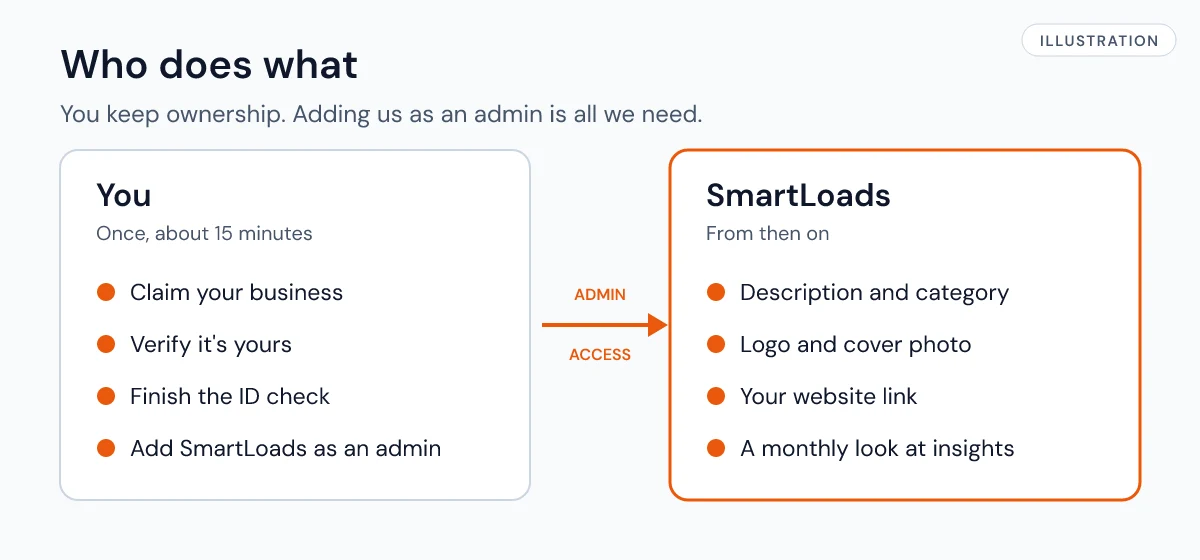
- Your description and category, in the words your customers use
- Your logo and cover photo
- Your website link, so ChatGPT can point people to your site
- A monthly look at your profile's insights (mentions and website clicks), with changes as needed
OpenAI reviews each change before it shows, so updates can take a little while. You can remove our access at any time from Business Hub.
Your business agent: we set it up
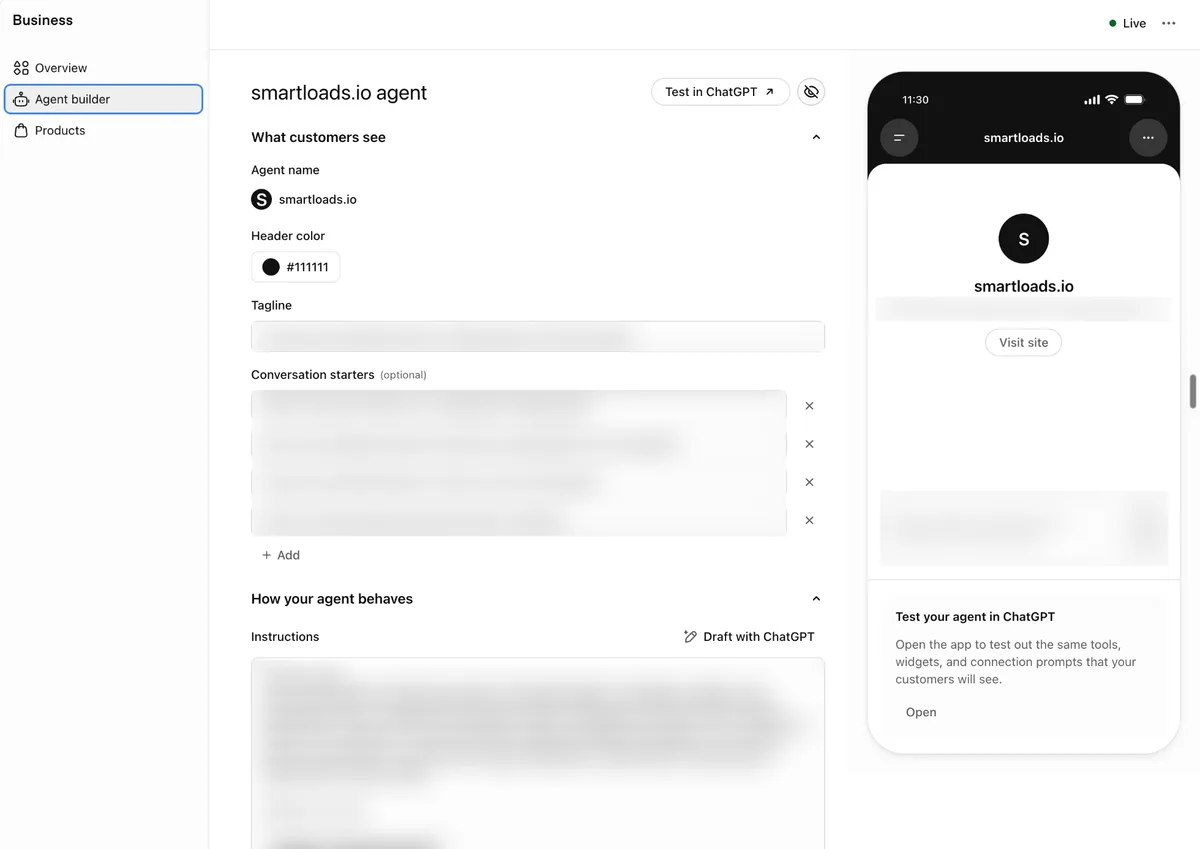
If your business can have one (today, online businesses in the US), Business Hub also has an Agent builder. It's a chat that answers customers' questions about your business inside ChatGPT. We complete this screen for you: the tagline, the conversation starters and the instructions. You don't need to fill anything in.
Frequently asked questions
Can I just send SmartLoads my ChatGPT login?
No. OpenAI's terms don't allow shared logins, and you shouldn't forward a claim invitation either. Adding us as an admin lets us help without either one.
Will claiming my profile make ChatGPT recommend me more?
Not by itself. Claiming lets you manage your details. It doesn't guarantee more visibility, and ads don't change ChatGPT's answers. Your website and what others say about you matter too.
I run more than one brand. Do I need more than one profile?
Yes. Each brand is claimed and managed on its own.
My business is already claimed by someone else. What now?
Open the profile, select the ••• menu, then Dispute ownership, and follow the steps to show you're authorized.
My website is hosted by someone else. Can I still verify?
Yes. Use your business phone or email instead of the website option, or ask whoever manages your domain to add the DNS record.